AndyAO
V2EX  ›  问与答

如何在 IDEA 中通过 WSL1 运行 Shell 脚本?

  •  2
     
  •   AndyAO · May 22, 2021 · 2578 views
    This topic created in 1995 days ago, the information mentioned may be changed or developed.

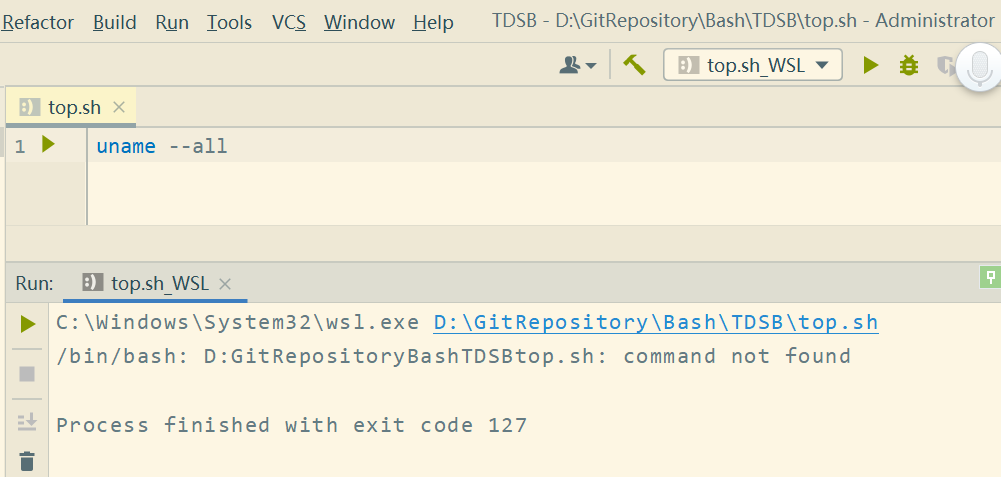
    Bash Support Pro 是支持 WSL 的,但是帮助文档上好像并没有给出具体的配置方案。

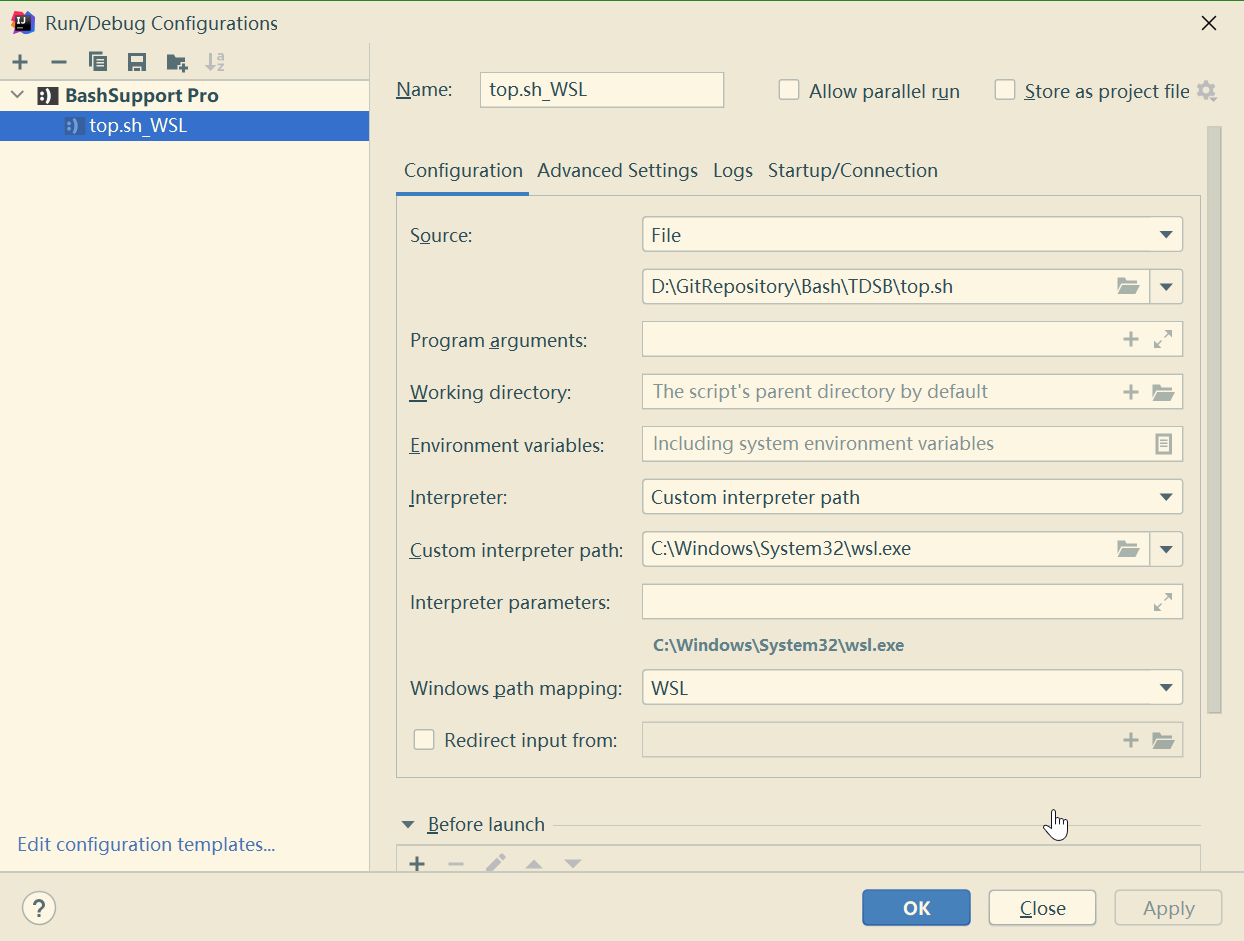
    我尝试了如下方案,结果运行失败。
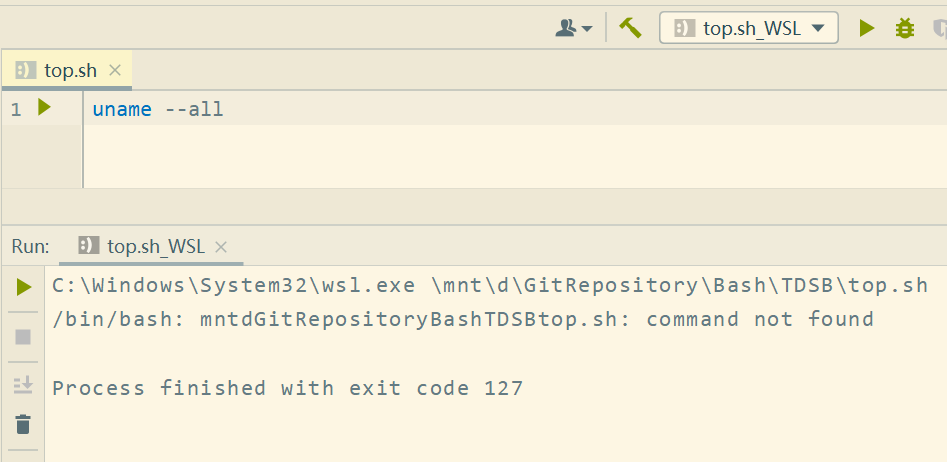
    手动转换路径也不行
    Supplement 1  ·  May 22, 2021

    默认使用 Git Bash 上的 MSYS2 是可以正常运行的

    9 replies  •  2021-05-22 23:04:31 +08:00
    IamI
    IamI
    May 22, 2021
    1
    WSL 路径用 /不是\
    AndyAO
    AndyAO
    OP
    May 22, 2021
    2
    @IamI 那是自动的,如果输入的是\,确定后则会自动改为 /。
    这个过程理应自动映射,在配置中已经选定 WSL 。
    0o0O0o0O0o
    0o0O0o0O0o
    May 22, 2021 via Android
    3
    这样呢 wsl /usr/bin/sh /mnt/d/path/to/test.sh
    AndyAO
    AndyAO
    OP
    May 22, 2021
    4
    @IamI 打错了,输入斜杠 /会自动改为反斜杠\

    /mnt/d/GitRepository/Bash/TDSB/top.sh 会自动改为 \mnt\d\GitRepository\Bash\TDSB\top.sh
    0o0O0o0O0o
    0o0O0o0O0o
    May 22, 2021 via Android
    6
    那如果你确定没有地方设置这个斜杠,要不然就自己写个 shell script 接收这个路径替换掉并执行😂
    lhx2008
    lhx2008
    May 22, 2021
    7
    最新版有个 remote execute 的,不知道 bash 可不可以
    raaaaaar
    raaaaaar
    May 22, 2021 via Android
    8
    额,你这是 shell 就换成 wsl 了吗?我直接换了用的
    yanyanlongxia
    yanyanlongxia
    May 22, 2021
    9
    直接将 IDE 底部的终端换成 bash,然后在在终端中运行 bash 不行吗(我就是这么做的)
    这么做: https://segmentfault.com/a/1190000020306189
    About   ·   Help   ·   Advertise   ·   Blog   ·   API   ·   FAQ   ·   Privacy   ·   Solana   ·   1443 Online   Highest 6679   ·     Select Language
    创意工作者们的社区
    World is powered by solitude
    VERSION: 3.9.8.5 · 32ms · UTC 04:47 · PVG 12:47 · LAX 20:47 · JFK 23:47
    ♥ Do have faith in what you're doing.